How to Build an AI Automation Workflow — TikTok Viral Video Replication as a Case Study
Most AI automation tutorials stay abstract. This one works through a real, complete example: a workflow that finds viral TikTok videos, extracts what made them work, and produces adapted scripts and content ready for your own channel.
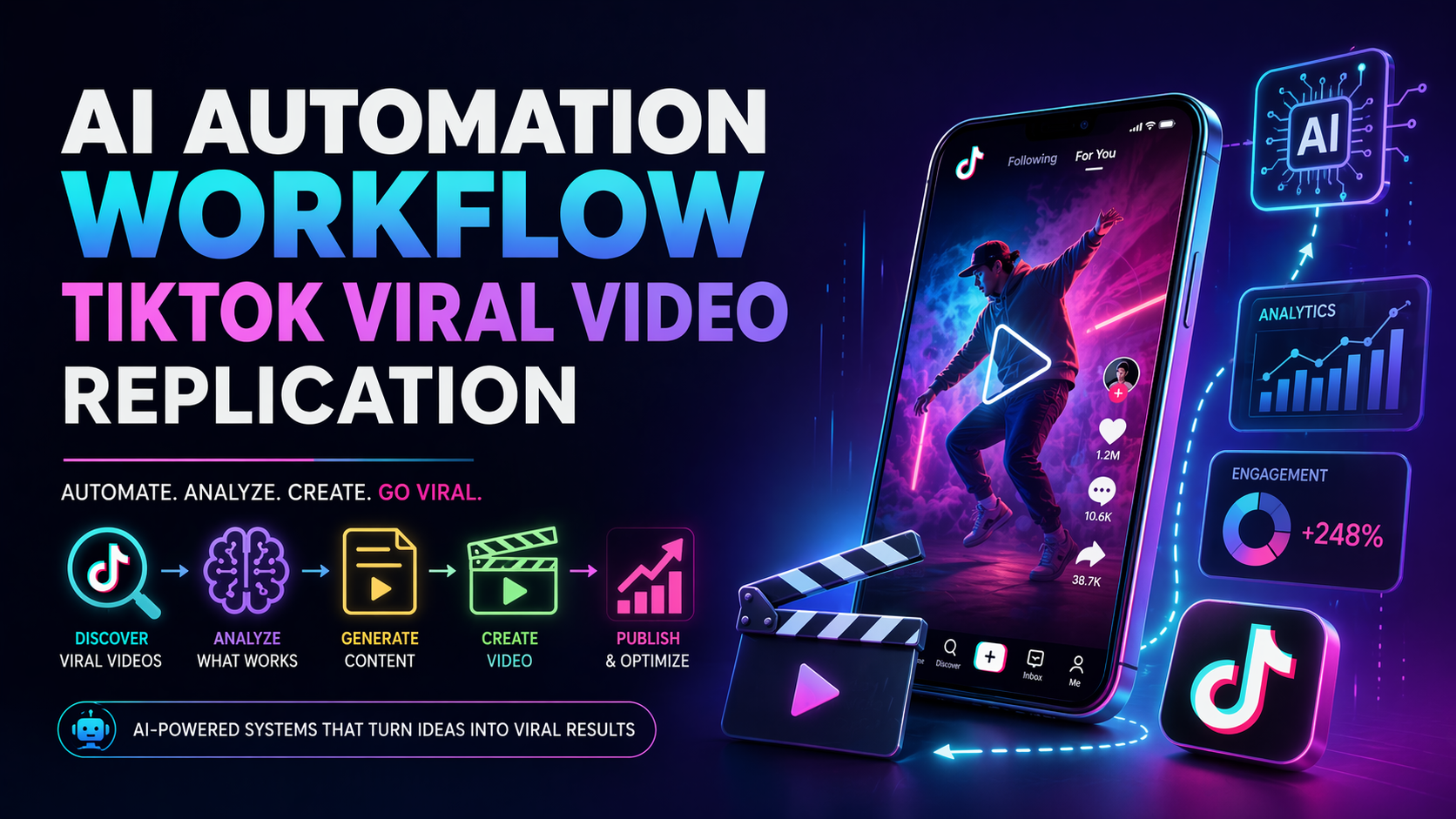
Building an AI automation workflow is not about connecting a dozen tools and hoping something useful comes out. It is about defining a repeatable process, identifying exactly where AI adds value, and keeping humans in control of the decisions that matter.
TikTok viral video replication makes a useful case study because it has every element a good workflow needs: a clear input (viral videos), a clear output (your own adapted content), measurable quality signals (engagement patterns), and multiple stages where AI can genuinely replace manual work.
This tutorial walks through the full workflow from start to finish. Every step explains the logic, not just the tool.
What this workflow actually produces
Before building anything, define what you want the workflow to produce. Vague goals create sprawling systems that never quite work. This workflow produces three outputs:
- A structured breakdown of what made a viral video perform — hook, pacing, topic angle, emotional trigger.
- An adapted script written for your niche, voice, and audience, following the same structural pattern.
- A ready-to-use caption, on-screen text list, and suggested B-roll notes — enough to hand to a video editor or feed into a video generation tool.
What it does not produce: the final video. That final step — recording or generating the video itself — remains a human or separate creative decision. Automating the wrong output is the most common reason these workflows fail.
Workflow overview — five stages, each with a clear handoff:
Stage 1 — Discover viral videos in your niche
Pull high-performing videos with the TikTok Research API or a scraper
You need a list of videos to analyze. There are two practical approaches:
- TikTok Research API (free, requires application): Query by keyword or hashtag, filter by view count, likes-to-view ratio, or share count. Returns structured JSON with video metadata.
- Third-party tools like Apify's TikTok scrapers or tools like Exploding Topics: useful if the Research API is not available in your region or account type.
Filter criteria that work reliably: videos posted in the last 30 days, more than 500,000 views, likes-to-view ratio above 5%, and comment count above 500. These signals together indicate genuine engagement, not just paid reach.
Automation tip: Set this discovery step to run on a schedule — daily or weekly via n8n or Make. Store results in a Google Sheet or Airtable base. Each new row is a candidate for analysis.
Stage 2 — Transcribe and analyze each video
Transcribe the audio with Whisper
Download the video audio (most scraper tools return a direct video URL) and send it to OpenAI Whisper via API. Whisper returns a full transcript with timestamps, which gives you both the spoken words and the pacing structure.
Cost is low: a 60-second TikTok costs around $0.006 to transcribe. For 50 videos per week, that is under $0.30.
Extract the structure with an AI prompt
Send the transcript, video title, and engagement numbers to a language model with this analysis prompt:
You are a content strategist analyzing a high-performing short video.
Transcript: [transcript]
Views: [views] | Likes: [likes] | Comments: [comments]
Return a JSON object with these fields:
- hook: the exact first sentence and why it creates curiosity or urgency
- topic_angle: the specific take or perspective that made this topic fresh
- structure: the sequence of beats (problem → proof → solution, or story arc, etc.)
- emotional_trigger: the primary emotion this video activates (fear, curiosity, aspiration, humor)
- pacing: fast / medium / slow, with notes on where it shifts
- replication_notes: what a creator in a different niche should borrow vs. avoid
Use GPT-4o or Claude Sonnet for this step — the quality of the structural analysis depends heavily on the model's ability to reason about narrative, not just summarize.
Stage 3 — Extract the reusable pattern
Identify what to copy and what to replace
This is the most important step and the one most automation tutorials skip. Viral video replication is not copying content — it is copying structure. The analysis from Stage 2 gives you the raw material. Now you consolidate it into a pattern template.
A well-extracted pattern looks like this:
- Hook format: "Most people [common belief] — but [surprising counter-claim]."
- Body structure: Three short proof points, each under 15 seconds, followed by a personal result.
- Emotional arc: Opens with mild anxiety, resolves with confidence and a clear action.
- Pacing: Fast cuts in the first 5 seconds, then slower for the key point, fast again for CTA.
- CTA: Embedded in the final sentence, not added as a tagged-on request.
Run this extraction across five to ten viral videos in your niche to find the patterns that repeat. Those recurring patterns are what you automate around.
Stage 4 — Generate the adapted script
Write a new script using the pattern as a prompt framework
Now you use the extracted pattern to generate a script for your own topic. The prompt combines the structural pattern with your niche context:
Write a 60-second TikTok script about [your topic] for [your audience].
Follow this structure exactly:
- Hook (0–5s): Use the format "Most people [X] — but [Y]." Make it specific to [your niche].
- Proof point 1 (5–20s): One concrete example or stat. No filler.
- Proof point 2 (20–35s): A relatable scenario your audience has experienced.
- Proof point 3 (35–48s): A counterintuitive insight that reframes the problem.
- Close (48–60s): One sentence that names the result, one that tells them what to do next.
Tone: [confident / conversational / urgent — choose one]
Do not mention competitors. Do not use marketing jargon. Write as if speaking to one person.
This prompt is not generic. It encodes the specific structural decisions you extracted from real viral content. That is what separates a useful script from a forgettable one.
Quality check: Read the generated script out loud. If any sentence takes more than one breath, it is too long. If the hook does not create an instant question in your mind, rewrite it. AI can draft — your ear is the editor.
Stage 5 — Package the output
Generate captions, on-screen text, and B-roll notes automatically
Once the script is approved, a second AI pass generates the remaining production assets in a single prompt:
- Caption (under 150 characters): Matches the hook tone, ends with a question or incomplete thought to drive comments.
- On-screen text list: Five to seven short phrases (under five words each) timed to the script beats. These become your text overlays.
- B-roll notes: One descriptive sentence per script beat describing the visual — specific enough for a stock footage search or an AI video prompt.
- Hashtag set: Three niche hashtags, two broad hashtags, one trending hashtag if relevant. No padding.
Store all of this in a single structured document — one row in your Airtable base or one file per video in a Google Drive folder — so your editor or video tool has everything in one place.
Connecting the stages into a real workflow
The five stages above describe what happens. A workflow tool like n8n or Make (Integromat) is what connects them automatically. Here is how the trigger-and-action chain works:
- A scheduled trigger fires daily and calls the TikTok API to fetch new viral videos in your keyword list.
- For each new video not already in your database, download the audio and send to Whisper.
- Send the transcript and metadata to your AI model with the analysis prompt. Store the JSON output.
- Once you have ten or more analyzed videos, a separate trigger runs the pattern consolidation step and updates your pattern template.
- When you add a new topic to your input list, the workflow picks it up, runs the script generation prompt, and creates the full output package.
- Notify you via Slack or email that new scripts are ready for review.
The entire pipeline — from new viral video to ready-to-review script — runs without manual intervention. Your job is to review the final script, record or generate the video, and publish.
Tools you need to build this
Why the same principles apply to written content workflows
The TikTok workflow above is an instance of a general pattern that applies to any content type: discover top-performing examples, extract the structural decisions that made them work, feed those decisions into AI generation, and package the output for human review.
The same logic powers automated article workflows. Instead of analyzing viral videos, you analyze high-ranking articles. Instead of extracting hook formats and pacing, you extract keyword intent, section structure, and evidence types. Instead of generating a 60-second script, you generate a 1,500-word SEO article.
The tools change. The workflow shape does not.
Common mistakes when building these workflows
- Automating before validating manually: Build the workflow once by hand first. Make sure each stage produces useful output before connecting them. Automating a broken process makes it faster to get bad results.
- Skipping the pattern extraction step: Sending viral transcripts directly to "write me something like this" produces imitation, not structural understanding. The analysis and extraction step is what creates reusable value.
- No human review gate: Every workflow that produces public content needs a review step before publishing. Automation handles volume; humans handle judgment.
- Over-engineering the first version: Start with three stages and a spreadsheet. Add automation layers once the manual version consistently produces good output.
- Ignoring cost at scale: Calculate cost per output before scaling. 500 video analyses per month at $0.02 each is $10. 500 script generations at $0.15 each is $75. Know your numbers before you run the workflow unsupervised.
Final takeaway
An AI automation workflow is a repeatable system, not a single prompt. The TikTok replication example shows what that means in practice: structured discovery, AI-powered analysis, pattern extraction, targeted generation, and packaged output — each stage with a clear input and a clear output.
The workflow you build for video content can be adapted for articles, social posts, email sequences, or product descriptions. The investment is in understanding the pattern well enough to encode it into a prompt and a process — not in connecting the most tools.
Automate your article content the same way
AI Article Agent applies the same workflow logic to SEO articles — topic input, structured AI generation, quality review, and publishing. Install the Chrome extension and start with your own API keys.
Add to Chrome