OpenClaw vs Hermes: Which AI Agent Framework Should You Try?
OpenClaw and Hermes Agent sit in the same fast-moving AI agent conversation, but they are not trying to solve the exact same problem. This comparison explains the difference in plain language so you can decide which project is worth testing first.
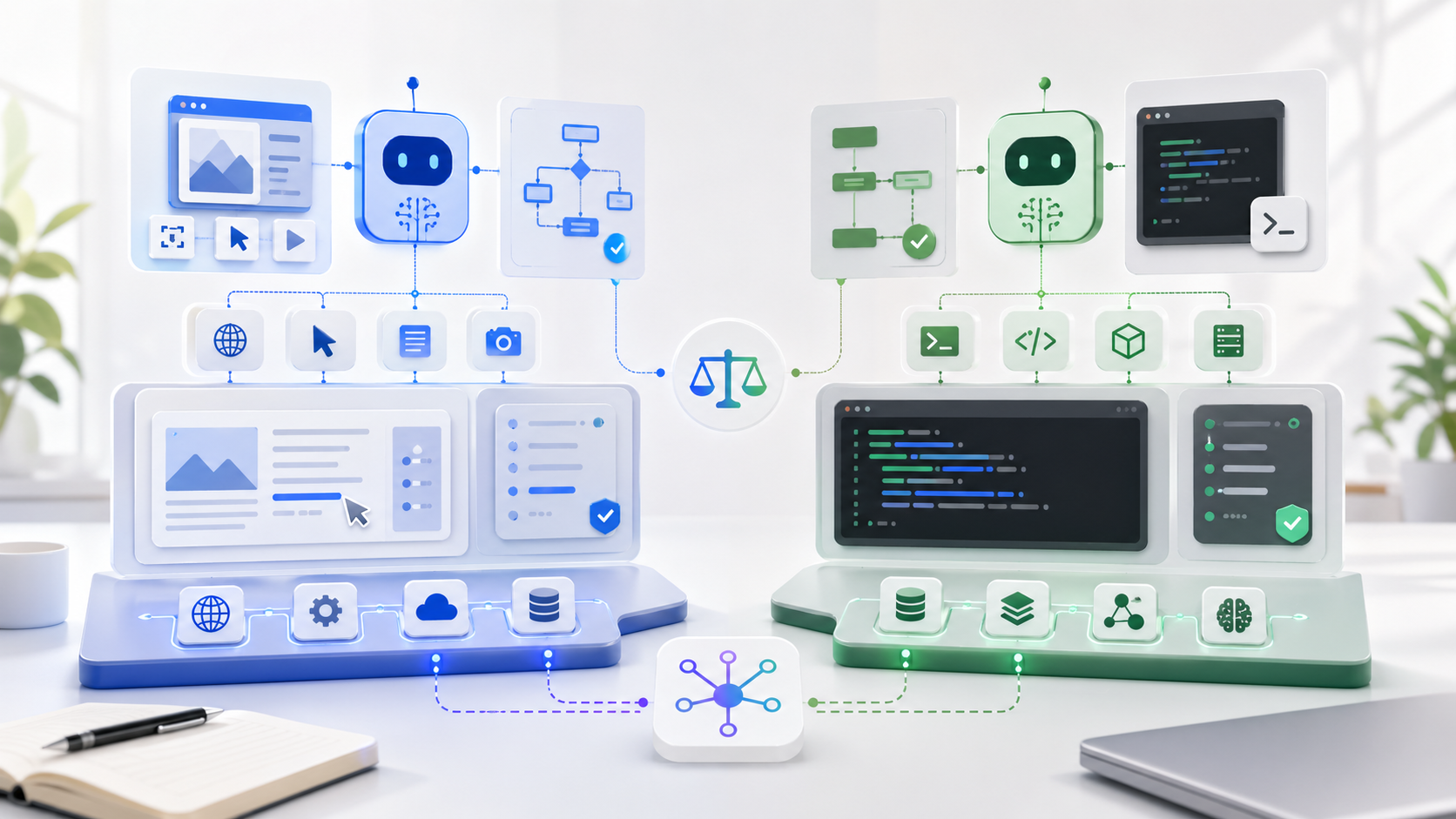
Quick answer
If you want a personal AI assistant that can live across many messaging channels and feel closer to an always-on local assistant, OpenClaw is the more natural concept to evaluate. If you want a developer-friendly agent with a real terminal interface, tool execution, skills, memory, scheduling, MCP integration, and explicit migration support from OpenClaw, Hermes Agent is the more direct place to start.
The short version is this: OpenClaw feels like a personal assistant platform. Hermes feels like an agent workbench for people who want to run tasks, use tools, automate workflows, and keep improving the agent over time.
What is OpenClaw?
OpenClaw describes itself as a personal AI assistant that runs on your own devices and answers through the channels you already use. Its README emphasizes a local, always-on assistant experience, with support for a long list of messaging surfaces including WhatsApp, Telegram, Slack, Discord, Google Chat, Signal, iMessage, Microsoft Teams, Matrix, LINE, WeChat, QQ, and more.
The project also highlights speech, listening, live Canvas rendering, a gateway control plane, and a setup flow through `openclaw onboard`. The positioning is less "one terminal agent" and more "personal assistant across your digital life."
That makes OpenClaw interesting for people who care about:
- Multi-channel personal assistant workflows.
- Messaging integrations as a primary interface.
- Local-first assistant behavior.
- Voice and canvas-style interaction.
- A personal AI companion that can be present outside the terminal.
OpenClaw architecture, simplified
Based on OpenClaw's public README: Gateway as control plane, channels, sessions, tools, events, multi-agent routing, voice, canvas, companion apps, and sandbox defaults.
What is Hermes Agent?
Hermes Agent is an open-source agent project from Nous Research. Its README presents it as "the agent that grows with you" and puts heavy emphasis on a real terminal interface, tool execution, memory, skills, scheduled automations, terminal backends, and messaging gateway support.
Hermes has a clear developer/operator flavor. You can start a conversation in the terminal with `hermes`, choose models, configure tools, run a messaging gateway, use skills, connect MCP servers, schedule tasks, and work across local, Docker, SSH, Daytona, Singularity, and Modal backends.
Hermes also explicitly supports migration from OpenClaw. Its docs mention importing settings, memories, skills, allowlists, messaging settings, selected API keys, TTS assets, and workspace instructions. That suggests Hermes is aware of the OpenClaw user base and wants to make switching easier.
Hermes Agent architecture, simplified
Based on Hermes' public README/docs: terminal UI, messaging gateway, provider/model config, tools/toolsets, memory, skills, MCP integration, cron scheduling, and six terminal backends.
OpenClaw vs Hermes comparison table
| Category | OpenClaw | Hermes Agent |
|---|---|---|
| Core idea | Personal AI assistant across devices and messaging channels. | Terminal-first AI agent with tools, memory, skills, scheduling, and gateways. |
| Primary interface | Messaging channels, local assistant surfaces, voice, and Canvas-style interaction. | Terminal UI first, with optional messaging gateway for Telegram, Discord, Slack, WhatsApp, Signal, and Email. |
| Best fit | Users who want an always-on personal assistant in everyday communication channels. | Developers, power users, researchers, and automation builders who want a controllable agent workbench. |
| Tooling | Assistant and channel orchestration are the main story in public positioning. | Documented toolsets, terminal backends, MCP integration, skills, and scheduling. |
| Memory and skills | Includes assistant memory and user-created skills according to migration references. | Emphasizes persistent memory, procedural skills, skills hub, and self-improving workflows. |
| Migration path | Original environment for OpenClaw users. | Includes `hermes claw migrate` to import OpenClaw data. |
| Setup posture | Node-based setup with `openclaw onboard`, recommended Node 24 or Node 22.14+. | Install script for Linux, macOS, WSL2, and Termux, with native Windows not supported. |
| Security focus | Warns that inbound DMs are untrusted and uses DM pairing defaults for major messaging channels. | Documents command approval, DM pairing, and container isolation as part of its security guide. |
Which one should you use?
Choose OpenClaw if you want a personal assistant across channels
OpenClaw is appealing if your mental model is "I want one AI assistant that follows me across the places I already message." Its broad channel list is the headline. If you care about WhatsApp, Telegram, Slack, Discord, Signal, iMessage, Matrix, WeChat, QQ, or similar surfaces, OpenClaw's positioning is easier to understand.
It is also worth testing if you like the idea of a local personal assistant rather than only a terminal tool. The product language around speech, listening, and Canvas suggests a broader assistant interface.
Choose Hermes if you want an agent workbench
Hermes is more compelling if you want to run tasks from a terminal, configure models and tools, search memory, use skills, schedule automations, and connect to external systems through MCP. It is also stronger on paper for people who care about backends, automation, and repeatable tool use.
If you are already using OpenClaw and considering a switch, Hermes is unusually direct about migration. The documented migration command is a useful signal because it reduces the fear of losing memory, skills, configuration, and workspace instructions.
How this fits the broader AI agent trend
The OpenClaw vs Hermes comparison is part of a bigger shift. AI agents are moving from "chat with a model" toward systems that can remember preferences, call tools, execute code, run scheduled tasks, connect to messaging channels, and operate inside real workflows.
This is the same pattern visible in content automation. A simple prompt can create a draft, but a real system needs planning, review, publishing, and iteration. That is why we write often about AI SEO content pipelines and batch article workflows. The general AI agent world is learning the same lesson: workflows matter more than one-off prompts.
Risks and setup considerations
Both projects touch powerful surfaces. That means you should treat setup as a security decision, not just a fun install.
Before using either project seriously, consider:
- Which accounts and messaging channels the agent can access.
- Whether unknown senders can trigger actions.
- Which shell commands or tools require approval.
- Where memories, API keys, and workspace instructions are stored.
- Whether you understand the model provider and data flow.
- How easily you can disable the gateway or revoke tokens.
For production or business use, start with a sandbox account. Do not connect a personal account with sensitive messages, files, or payment data until you understand the agent's permissions and failure modes.
Verdict: OpenClaw is assistant-first, Hermes is workbench-first
The cleanest way to think about the choice is this:
- OpenClaw: best understood as a personal assistant that meets you across channels.
- Hermes: best understood as a tool-using agent workbench that can also live in messaging channels.
If you want a broad personal assistant presence, start with OpenClaw. If you want a terminal-first agent with explicit tooling, memory, skills, scheduling, MCP, and migration from OpenClaw, start with Hermes.
Related AI and automation guides
Sources
FAQ
Is OpenClaw the same as Hermes Agent?
No. OpenClaw and Hermes Agent are separate open-source AI agent projects with overlapping ideas. OpenClaw presents itself as a personal AI assistant across many communication channels, while Hermes emphasizes a terminal-first agent, tools, memory, skills, and migration support from OpenClaw.
Which is better for developers, OpenClaw or Hermes?
Hermes is usually the more obvious starting point for developers who want a terminal interface, tool execution, skills, memory, and multiple terminal backends. OpenClaw may be more attractive if your priority is a personal assistant that lives across messaging channels and local devices.
Can Hermes migrate OpenClaw data?
Hermes documentation describes a migration command that can import OpenClaw settings, memories, skills, allowed commands, messaging settings, selected API keys, and workspace instructions.
Build practical AI workflows, not just one-off prompts
AI Article Agent helps turn topic lists into structured articles, giving your content workflow the same repeatable thinking that modern AI agents need.
Add to Chrome