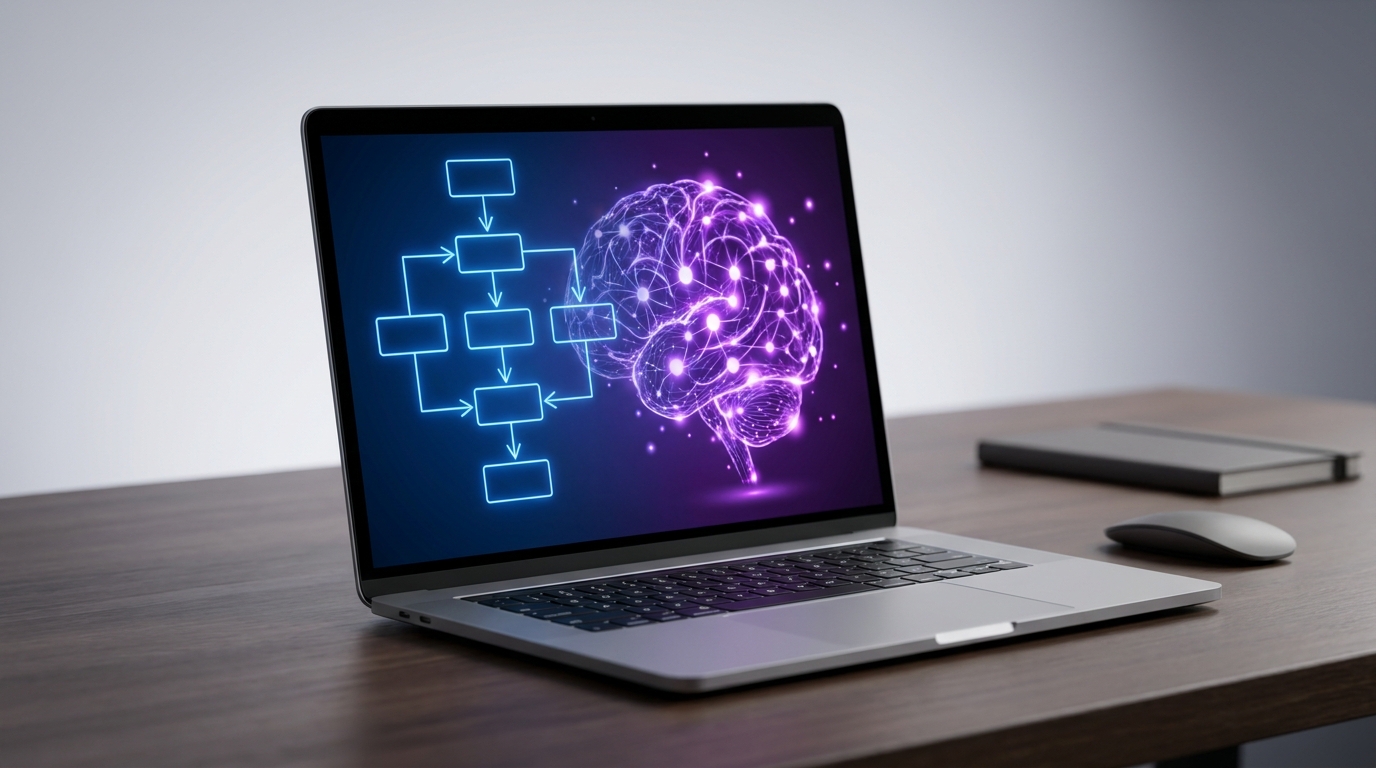
When building AI-driven systems, the fundamental choice comes down to control versus autonomy. The core difference between AI agents and AI workflows lies in how decisions are made. AI workflow automation relies on predefined, deterministic sequences where human developers dictate the exact path the AI must follow. In contrast, AI agents are autonomous systems where a Large Language Model (LLM) dynamically decides which actions to take, which tools to use, and how to iterate to achieve a specific goal.
Understanding the distinction between AI agents vs AI workflows is critical for building reliable, cost-effective, and scalable AI architecture.
Core Definitions: Explicit Control vs. Dynamic Autonomy
To understand how these systems diverge, it helps to look at their underlying architecture.
AI Workflow Automation
An AI workflow is a system orchestrated through predefined code paths with explicit control flow. In these systems, generative AI is used to handle specific, bounded tasks—such as summarizing a document, classifying data, or extracting text—within a larger automated process. Workflows are typically stateless, meaning they execute a sequence of steps from start to finish without retaining memory of past iterations. Because the path is fixed, workflows offer high predictability, consistency, and ease of debugging.
AI Agents
An AI agent is a system where the LLM directs its own processes. Instead of following a rigid script, an agent is given a goal, a set of tools (like web search, calculators, or database access), and the autonomy to figure out how to achieve that goal. Agents operate on a "while loop" structure—they reason about a problem, take an action, observe the result, and decide what to do next until an exit condition is met. Because they must track their progress toward a goal, agents are stateful and require memory modules to function.
How They Work: The "Reason, Act, Iterate" Loop
Expert demonstrations of AI architecture often highlight the limitations of passive LLMs. An LLM on its own is essentially a passive brain waiting for a prompt; it cannot take action. To make it useful, it must be embedded in either a workflow or an agent.
Visual examples of AI workflow automation often depict a strict, linear chain of connections. Consider a workflow designed to recommend a restaurant. The system might be hard-coded to pull user data, check a review site, and map the location. However, if the workflow pulls a restaurant that happens to have terrible reviews, the linear chain simply stops and outputs the bad recommendation. A "Red X" occurs, and a human must manually tweak the parameters and run the workflow again.
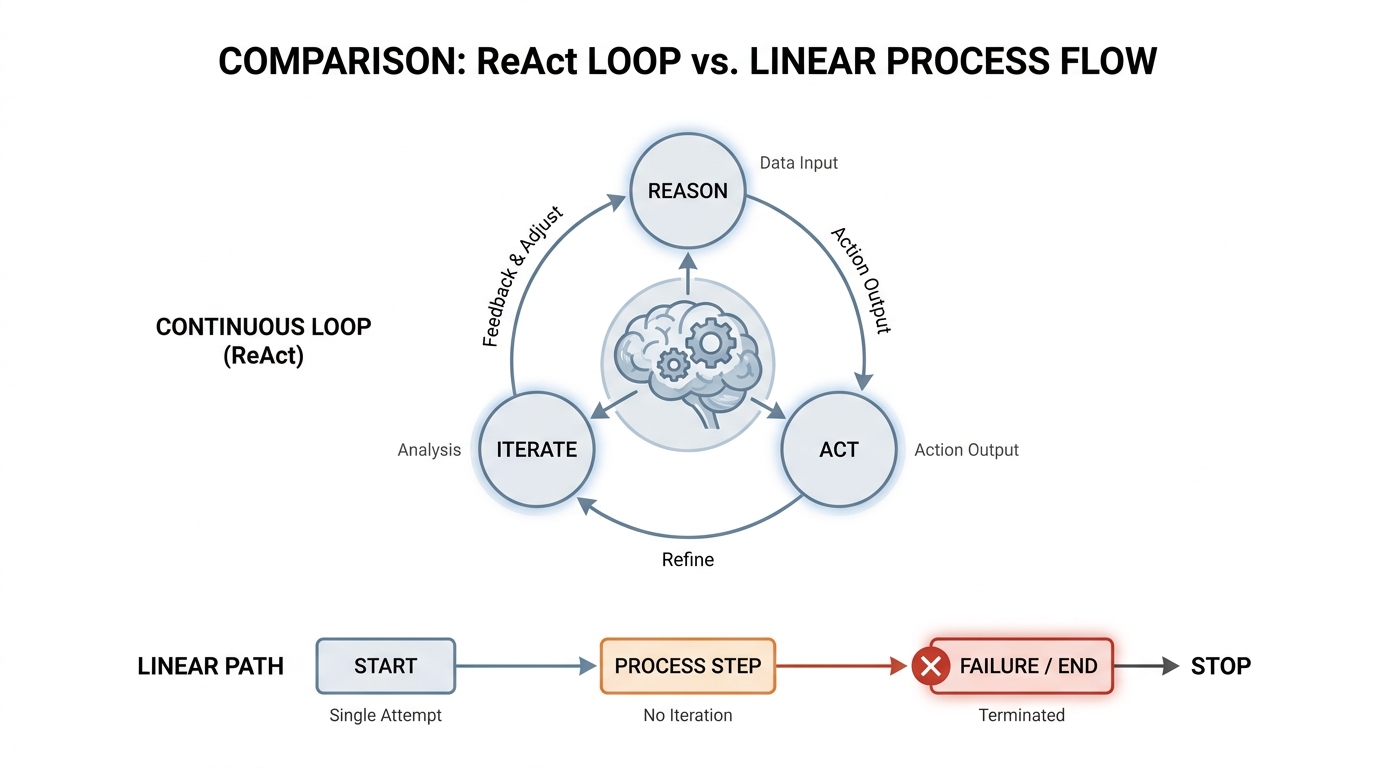
Agents solve this brittleness through a framework known as ReAct (Reason + Act). An agent evaluating the same restaurant request will look at the bad reviews (Reason), realize the recommendation is poor, and autonomously loop back to the search tool to find a better option (Act) before ever presenting the result to the user. This third pillar—the ability to iterate and critique its own output—is what separates an agent from a standard workflow.
📺 AI Agents, AI Workflow - Explained
Three Analogies to Understand the Difference
Abstract architectural differences are often best understood through practical analogies. Industry experts frequently use the following comparisons to explain the trade-offs between control and flexibility:
- The Chef vs. The Recipe: A workflow is like strictly following a recipe. If you follow the steps exactly, you get a consistent, predictable result every time. An agent is like a trained chef. You tell the chef what kind of meal you want, and they adjust the cooking process dynamically based on the ingredients available in the kitchen and tasting the food as they go.
- Driving Yourself vs. Hiring a Driver: A workflow is like driving your own car or taking a subway on a fixed route. You have total control over the exact path, and the arrival time is highly predictable. An agent is like hiring a taxi driver. You provide the destination (the goal), and the driver decides the best route, adapting autonomously to traffic jams or road closures along the way.
- The Department vs. The Manager: In an organizational structure, workflows act as the specialized departments or individual contributors that complete predefined tasks (like data extraction or report generation). The agent acts as the Project Manager, setting strategies, understanding the broader context, and deciding when to activate which department to get the project done.
The Reliability Problem: Why Pure Agents Fail
While the autonomy of AI agents sounds appealing, deploying pure agentic systems in production introduces significant mathematical and operational risks.
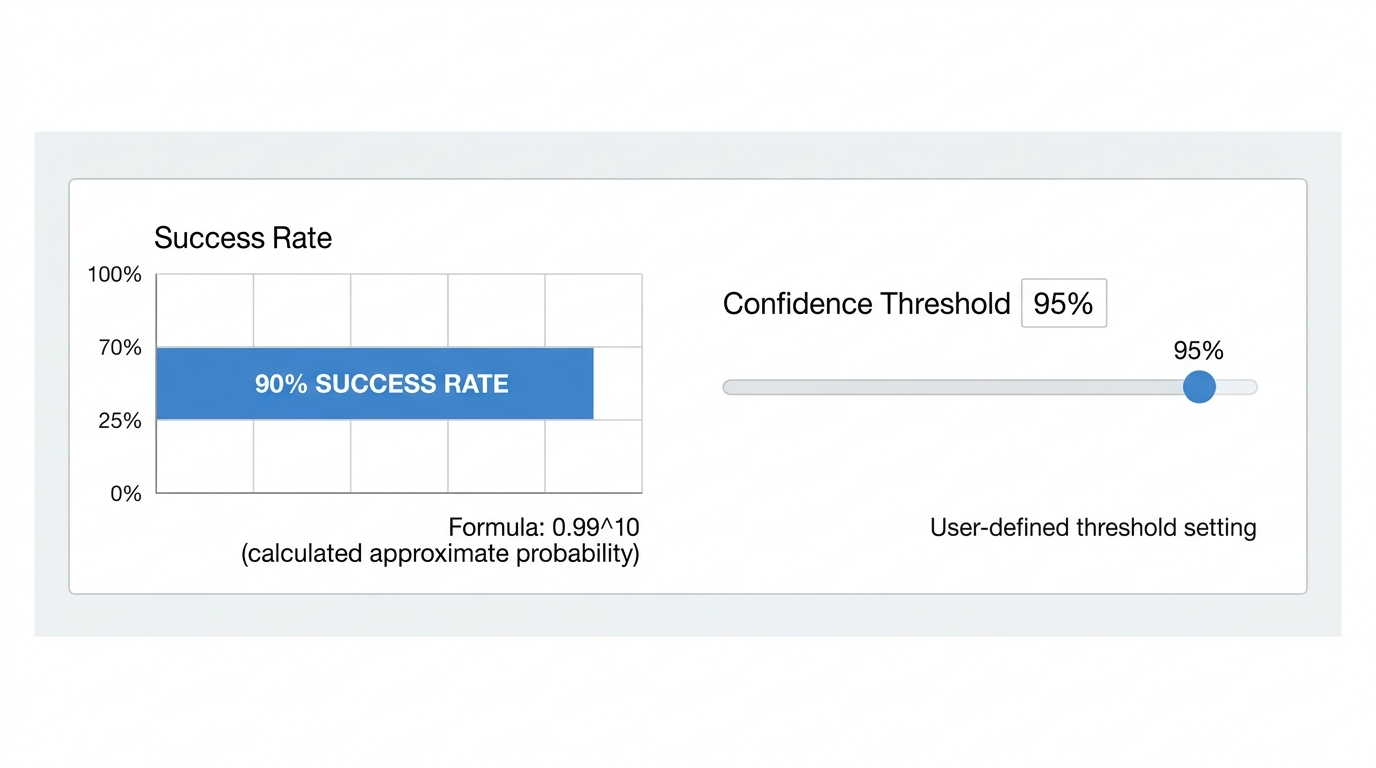
Pure agent chains suffer from a compounding reliability problem. If an agent is 99% reliable at executing a single step, a complex process requiring 10 autonomous steps will only succeed about 90% of the time (0.9910 ≈ 0.90). If the task requires 20 steps, the success rate drops to 81%. Because agents continuously learn and adapt, their behavior can become unstable, leading to infinite loops or hallucinations if they misinterpret an observation.
Conversely, pure workflows become unmaintainable if developers try to stuff all possible branching logic, edge cases, and error handling into rigid prompts.
To solve this, production systems require deterministic boundaries. Visual demonstrations of enterprise AI tools often feature controls like a "Confidence Threshold" slider, allowing users to dictate exactly how "sure" an AI must be before it triggers an alert or moves to the next step. By wrapping agentic behavior inside strict workflow boundaries, developers can contain the AI's autonomy where it matters while ensuring the overall system remains reliable.
Decision Framework: When to Use Which
Choosing between AI agents vs AI workflows requires evaluating the specific needs of your project across four dimensions: decision mode, adaptability, execution stability, and use case.
| Feature | AI Workflow Automation | AI Agents |
|---|---|---|
| Decision Mode | Predefined, fixed steps (Explicit control flow). | Dynamic decision-making (Observe, Reason, Act). |
| Adaptability | Low. Fails or stops if it encounters unknown variables or missing data. | High. Can handle unforeseen situations, missing data, and ambiguity. |
| Execution & Stability | Highly stable, predictable, and easy to debug. | Variable. Prone to compounding errors and higher latency. |
| Cost & Resources | Low cost. Uses fewer tokens and requires fewer LLM calls. | High cost. Requires multiple LLM calls, memory management, and iteration. |
| Ideal Use Cases | Enterprise process automation (finance, HR), data pipelines, manufacturing quality inspection. | Deep research, coding assistants, open-ended problem solving, autonomous customer service. |
The Hybrid Future: Agents Orchestrating Workflows
The most effective AI architectures do not treat agents and workflows as mutually exclusive. Instead, the industry is moving toward hybrid models where workflows and agents operate symbiotically.
A highly recommended adoption framework is to start by automating workflows first, then graduate to adding an agent for orchestration. To an advanced AI agent, a complex, 40-step deterministic workflow is simply a "tool" it can call upon to get a job done.
For example, a hybrid system might use a deterministic workflow as a router to receive an incoming customer request, classify it, and extract the relevant account data. If the request is standard (e.g., a password reset), the workflow handles it end-to-end. If the request is complex and ambiguous (e.g., a multi-layered billing dispute), the workflow routes the data to a specialized autonomous agent that can research the account history, negotiate a solution, and draft a custom response.
What to Ignore in the AI Automation Space
When researching AI automation, it is important to filter out hype and common anti-patterns:
- Ignore the claim that "workflows are dead." Some sources suggest that autonomous agents will replace all traditional automation. This is false. Workflows remain the backbone of enterprise AI because they guarantee compliance, predictability, and cost control.
- Avoid the "Agent-First" anti-pattern. A common mistake is using an expensive, token-heavy agent for a simple, structured task. If a process can be mapped out in a flowchart with clear "if/then" logic, build a workflow. Do not pay for an LLM to "reason" through a process that never changes.
- Ignore agents built without tools. Building an agent without underlying workflows or APIs for it to interact with leads to poor execution and hallucinations. An agent is only as useful as the tools it can control.
Frequently Asked Questions (FAQs)
Are AI workflows just traditional automation?
Not exactly. Traditional automation relies entirely on rigid code and structured data. AI workflow automation integrates LLMs into the predefined steps, allowing the workflow to handle unstructured data (like reading an email, summarizing a PDF, or analyzing sentiment) while still following a strict, predictable path.
Which approach is more expensive?
AI agents are significantly more expensive. Because agents operate on a loop—reasoning, acting, observing, and iterating—they require multiple calls to an LLM to complete a single overarching task. Workflows typically execute a set number of LLM calls, keeping token usage and latency low.
Can AI agents and workflows work together?
Yes, and they should. The most robust systems use agents as the "brain" or orchestrator, and workflows as the "hands" or tools. An agent can decide a specific data extraction process is needed, and then trigger a highly reliable, predefined workflow to execute that exact extraction.
What is the ReAct pattern?
ReAct stands for Reasoning and Acting. It is the core operational loop of an AI agent. Before taking an action, the agent uses the LLM to reason about the current state of its goal. It then takes an action (like searching a database), observes the result, and reasons again about whether the result was successful or if it needs to try a different approach.
Why are AI agents harder to debug?
Workflows are stateless and linear; if a workflow fails, developers can look at the exact step where the code broke. Agents are stateful and dynamic. Because the agent decides its own path, it may take a completely different sequence of actions each time it runs, making it difficult to reproduce errors or trace exactly why it made a specific decision.
Turn keyword lists into publishable articles
Install AI Article Agent, upload your topics, and build a repeatable workflow from keywords to structured SEO articles.